AI Text Rewriting
The AI Rewrite transformer allows you to process and transform text fields using custom AI prompts as data flows through your import pipeline. This is powerful for cleaning data, generating new content, or reformatting text without manual editing.
How It Works
Section titled “How It Works”The AI Rewrite node sits between your source data and the destination field. It takes a text input, applies your instructions (prompt), and outputs the transformed text.
Key Capabilities
Section titled “Key Capabilities”- Summarization: Create excerpts or short descriptions from long body text.
- Translation: Translate content on-the-fly.
- Tone Adjustment: Rewrite technical specs into marketing-friendly copy.
- Data Cleaning: Fix formatting, remove HTML tags, or standardize text.
- SEO Generation: Generate meta titles and descriptions based on content.
Usage Guide
Section titled “Usage Guide”1. Add the Node
Section titled “1. Add the Node”In the Visual Mapper, drag a connection from a source node or click the Add Transformer button (+) on an existing connection line. Select AI Rewrite from the list.
2. Configure Prompt
Section titled “2. Configure Prompt”Click on the node to expand its settings. Enter a clear instruction in the Prompt text area.
- Example:
Summarize this text in 2 sentences. - Example:
Translate to Spanish. - Example:
Remove all HTML tags and fix grammar.
3. Test & Preview
Section titled “3. Test & Preview”Click the Test (3) button. The AI will process 3 random records from your dataset and show a preview of the Input vs. Output. This allows you to refine your prompt before processing the entire dataset.
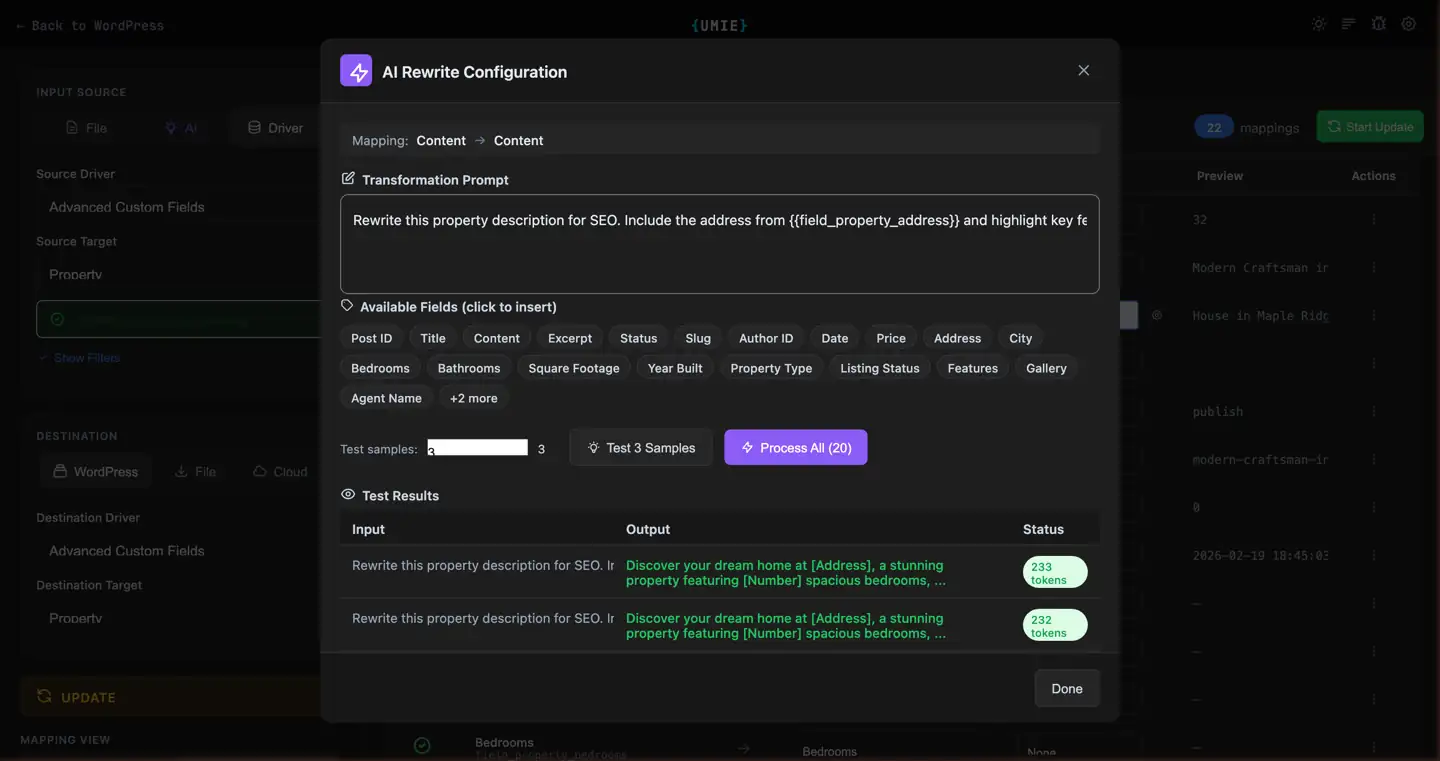
4. Process All Records (Required)
Section titled “4. Process All Records (Required)”Unlike other transformers, the AI Rewrite node requires a Pre-processing step.
- Click the Process (All) button inside the node.
- Wait for the progress bar to complete.
- The transformed values are now cached and ready for import.
Translation
Section titled “Translation”AI Rewrite is commonly used for translating content during import. Pair it with the Multilingual Support destination language selector to import translated posts in the correct language.
Example prompt:
Translate to French. Preserve formatting and brand names.For a full step-by-step walkthrough, see the translation use case example.
Credits & Performance
Section titled “Credits & Performance”Token Usage
Section titled “Token Usage”Each rewrite operation consumes AI Credits based on the length of the input and output text (~1 token per 4 characters).
Check your credit balance in the Account Dashboard.
Caching
Section titled “Caching”Results are cached temporarily while you configure the import. If you make changes to the prompt, you will need to re-process the records.