Getting Started
Welcome to UMIE, the Visual ETL platform for WordPress that enables seamless data import and export across any data structure.
What is UMIE?
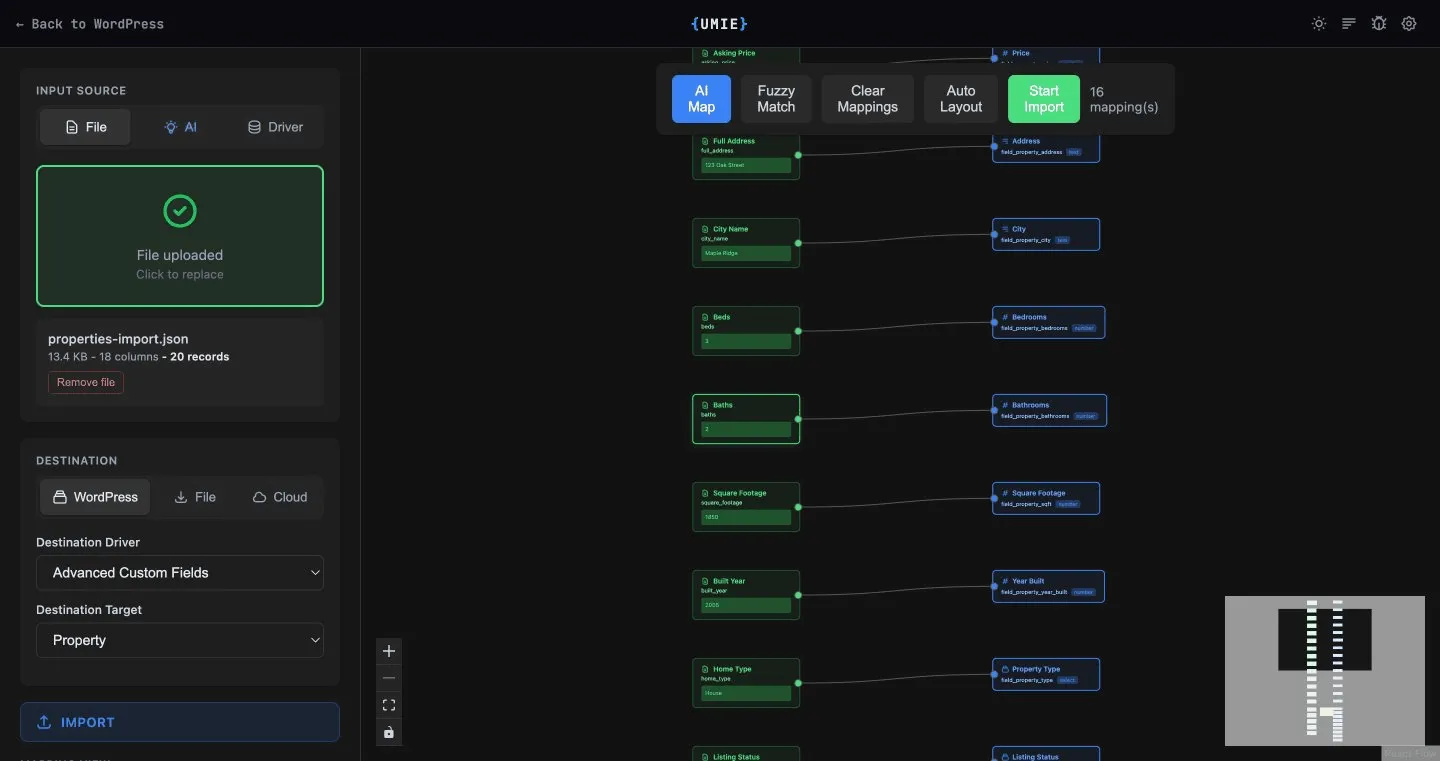
Section titled “What is UMIE?”UMIE (Universal Meta Import & Export) provides a visual node-based interface for mapping and importing data into WordPress. It supports:
- Native WordPress - Posts, Pages, Users, Terms
- WooCommerce - Products, Variations, Orders
- ACF - Advanced Custom Fields (Repeaters, Flexible Content)
- JetEngine - CCT, CPT, Meta Boxes
- MetaBox - Custom Fields & Tables
Quick Start
Section titled “Quick Start”1. Install & Activate
Section titled “1. Install & Activate”Download the plugin from your dashboard and install it on your WordPress site.
2. Connect License
Section titled “2. Connect License”Go to WordPress Admin Sidebar > UMIE > Settings and enter your license key. This enables AI features. Get a free license here.
3. Create Your First Job
Section titled “3. Create Your First Job”- Open WordPress Admin Sidebar > UMIE.
- Choose Input Source:
File,AI, orDriver. - Choose Destination:
WordPress,File, orCloud. - If destination is
WordPress, select both Destination Driver and Destination Target. - UMIE automatically selects operation type (Import, Update, Export, Migration, or Cloud Push).
- Run: Click Start and watch the background process.
Features Overview
Section titled “Features Overview”| Feature | Details |
|---|---|
| Visual Mapper | Connect fields using a drag-and-drop node interface. |
| Universal Drivers | Support for ACF, JetEngine, MetaBox, WooCommerce, and Core WP. |
| AI Mapping | Automatically matches source columns to complex target structures. |
| AI Rewrite | Transform and enrich content using AI prompts (e.g., summarize, translate). |
| AI Extraction | Converts messy text (emails, lists) into importable data. |
| Document Upload | Match and attach documents/files to records through a virtual source flow. |
| Export | Export data from any driver to JSON, CSV, or XML. |
| Migration | Direct site-internal migration (e.g., ACF to JetEngine). |
| Streaming | Handles large files (100MB+) without memory crashes. |